
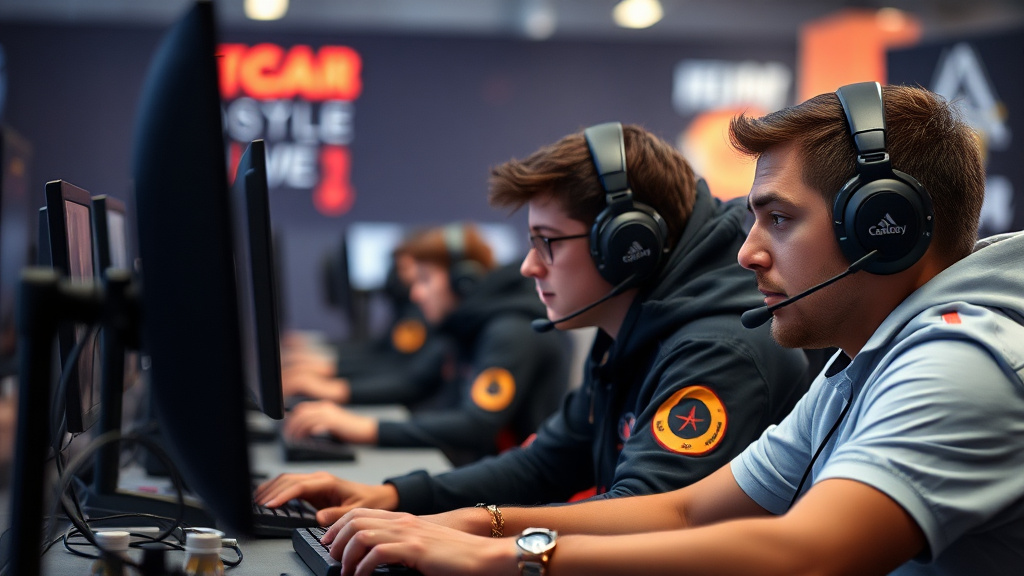
In the competitive world of competitive esports, milliseconds matter. Top professional players know that victory depends on more than skill—it’s equally reliant on having optimized hardware and software that gives them a winning advantage. From custom-built gaming PCs to calibrated display configurations, elite esports athletes utilize specific setups to maximize performance. This article uncovers expert knowledge from top competitors across multiple titles, highlighting the essential hardware upgrades and performance tweaks that separate champions from the competition.
Monitor and Display Configuration
The monitor is arguably the most critical part in an esports player’s setup, serving as the primary interface between the player and the gaming environment. Professional competitors invest heavily in premium monitors that provide exceptional clarity, color accuracy, and responsiveness. A superior monitor can substantially decrease input lag and deliver the visual feedback required for split-second decision-making. Leading professional organizations recognize that display choice directly impacts player performance, which is why they emphasize this expenditure in addition to powerful hardware components and fine-tuned system settings.
Beyond core settings, competitive players carefully calibrate their monitor settings to suit their personal needs and gaming environment. Brightness, contrast, and color settings are optimized to decrease visual fatigue during marathon training sessions while ensuring optimal visual clarity in-game. Competitive professionals often use multiple monitors for streaming, communication, and secondary information displays. The positioning and height of the main display are just as critical, with most pros setting their display at eye level to sustain good posture and minimize neck strain during extended competitive matches.
Display Refresh Speed and Response Latency
Display refresh frequency and pixel response speed are core technical requirements that significantly impact gaming performance in fast-paced esports titles. A faster refresh rate, measured in hertz, means the monitor displays more frames per second, creating more fluid movement and reduced screen tearing. Most competitive esports athletes opt for displays with refresh rates of 144Hz or higher, with many playing at 360Hz or higher refresh rates for maximum fluidity. Pixel response time, typically measured in milliseconds, controls how fast pixels change color, influencing perceived input lag and visual clarity during rapid gameplay scenarios.
The combination of high refresh rate and low response time produces a synergistic effect that provides professional gamers with superior visual feedback and response abilities. Competitive players note that upgrading from 60Hz to 144Hz or higher produces instantly apparent improvements in aim accuracy, tracking ability, and overall game responsiveness. When paired with a gaming PC able to reliably producing high frame rates, these monitors serve as essential tools for competitive success. Players investing in esports-grade monitors typically see quantifiable gains in their competitive rankings and tournament performance within weeks of implementation.
- 240Hz monitors provide optimal balance between performance and affordability
- 1ms response time delivers minimal input lag during ranked competitions
- G-Sync and FreeSync technologies remove visual tearing reliably
- IPS panels provide exceptional color accuracy in contrast with TN panels
- Curved displays enhance immersion and side vision perception
Mouse and Keyboard Setup
The mouse and keyboard form the fundamental interface between a player’s intentions and in-game actions, making their configuration vital for esports excellence. Competitive gamers dedicate extensive hours perfecting these peripherals, understanding that small tweaks can substantially affect reaction times and overall gameplay precision. A correctly set up mouse and keyboard setup decreases response delay, reduces strain during prolonged competitions, and ensures reliable execution across different play environments and environments.
Beyond selecting premium hardware, professional gamers recognize that personal preference and gaming style heavily affect optimal equipment settings. What works perfectly for one top-level player may feel awkward or suboptimal for another, which is why top teams dedicate training sessions to evaluating different configurations. The goal is creating fluid synchronization between hand movements and game response, creating an almost intuitive bond with their equipment that allows attention to remain completely devoted to game strategy and competitive analysis.
DPI Settings and Sensitivity Adjustment
DPI, or pixels per inch, indicates how responsive a mouse reacts to physical movement, significantly impacting targeting accuracy and view movement speed in esports titles. Professional players generally function within particular DPI settings based on their game type—FPS games often demand lower DPI settings for precise targeting, while RTS titles may utilize higher settings for quick map movement. Determining ideal DPI settings demands testing alongside consistency, as keeping the same DPI across practice and tournament play guarantees consistent muscle memory building and removing factors affecting gameplay quality.
Adjusting sensitivity goes further than merely selecting a suitable DPI number; it requires grasping how in-game sensitivity multipliers interact with hardware settings to create the player’s true effective sensitivity. Numerous pro players rely on online sensitivity calculators to match settings between various titles, maintaining consistent aiming feel independent of title. This standardization allows players to switch between titles during tournament days without needing extensive readjustment periods, preserving mental energy and focus for actual competitive play rather than gear adjustment.
- Reduced DPI configurations improve precision for competitive FPS games
- Higher DPI accommodates faster screen navigation in tactical titles
- Match sensitivity multipliers in-game with hardware DPI settings
- Employ sensitivity calculation tools to maintain consistency across multiple titles
- Thoroughly test your settings before competitive tournaments or ranked matches
Graphics Processing Unit and Processor Optimization
Graphics card and CPU optimization constitute the backbone of competitive esports performance. Professional players spend significantly in high-end GPUs and processors to attain consistent frame rates exceeding 240 FPS. Top competitors prioritize components like NVIDIA RTX 4090s and Intel Core i9 processors, which deliver the raw computational power necessary for intensive games. Effective heat dissipation and power supply stability ensure these components run at maximum performance during extended gaming sessions, avoiding throttling and performance degradation.
Beyond raw specifications, competitive players understand that parts compatibility and system balance are crucial. A incompatible CPU-GPU combination can generate bottlenecks that waste expensive hardware investments. Expert teams perform extensive testing to determine best configurations for their specific game titles and resolution preferences. Overclocking continues to be a popular technique among experienced enthusiasts, though it necessitates constant oversight to preserve system stability and durability of costly hardware.
Driver Upgrades and Performance Enhancements
Keeping graphics drivers fresh is non-negotiable for competitive gamers pursuing peak performance. NVIDIA and AMD regularly release driver optimizations designed for popular esports titles, often yielding frame rate improvements of 5-15 percent. Professional gamers create schedules for reviewing driver releases weekly, understanding that newer versions frequently include lower latency and improved stability. Many competitive teams designate technical staff to oversee driver installations across their entire roster, ensuring consistency and avoiding technical conflicts that could compromise tournament performance.
Advanced performance tweaking extends beyond driver updates to include BIOS adjustments and GPU control panel configurations. Competitive players leverage manufacturer software like NVIDIA’s GeForce Experience and AMD’s Radeon Software to fine-tune power settings and memory clocks. These optimizations demand technical knowledge and patience, as improper settings can cause crashes or system instability. Professional esports organizations employ dedicated hardware technicians who grasp these nuances, allowing players to focus exclusively on gameplay while maintaining optimal system performance.
- Enable G-Sync or FreeSync for improved frame consistency and reduced tearing artifacts
- Disable unnecessary background processes draining GPU performance during competitive matches
- Adjust power management settings to prioritize performance over energy efficiency
- Monitor GPU temperatures on a consistent basis to avoid thermal limitations during competitive events
- Test driver versions across various patch releases to identify optimal stability and performance
Network and System Software Tuning
System reliability and system optimization form the foundation of professional gaming performance. Professional players understand that even minor latency spikes or performance slowdown can result in losing important competitions. By optimizing connection configurations and eliminating unnecessary background processes, competitors guarantee their systems operate at peak efficiency. This section explores the sophisticated methods that elite gaming professionals use to preserve optimal connection quality and streamlined software environments.
System software optimization extends beyond simple optimization—it’s a comprehensive approach to making the most of all resource. Competitive players turn off unneeded programs, control launch applications, and tune network parameters to lower delay and boost performance speed. These adjustments, though looking insignificant in isolation, result in a tangible performance boost that can affect game performance in top-tier competitive environments.
Reducing Latency and Background Task Administration
Reducing latency begins with comprehending network architecture and data transmission patterns between your system and game servers. Elite esports competitors focus on stable, low-latency connections through careful network configuration. They turn off applications that consume bandwidth, adjust DNS settings, and utilize traffic prioritization systems to confirm gaming traffic obtains priority. These strategic adjustments result in improved response latency and more fluid performance during competitive matches.
Background process management demands disciplined system maintenance and monitoring. Leading players routinely remove unneeded launch applications, background services, and system utilities that drain CPU and RAM capacity. Tools like process managers and system monitoring software help pinpoint resource-hungry processes that degrade performance. By keeping a streamlined system environment, professional players ensure peak performance capacity remains allocated to their games.
- Turn off unnecessary launch applications and running processes right away
- Monitor CPU and RAM consumption with specialized performance enhancement software
- Set up QoS parameters to give priority to gaming traffic
- Optimize domain name system configuration for quicker network link establishment
- Close resource-heavy applications before competitive matches
